
Schwab Account Access
Signing up for Schwab Alliance gives you access to your account information virtually anytime, anywhere, while saving time and paperwork.
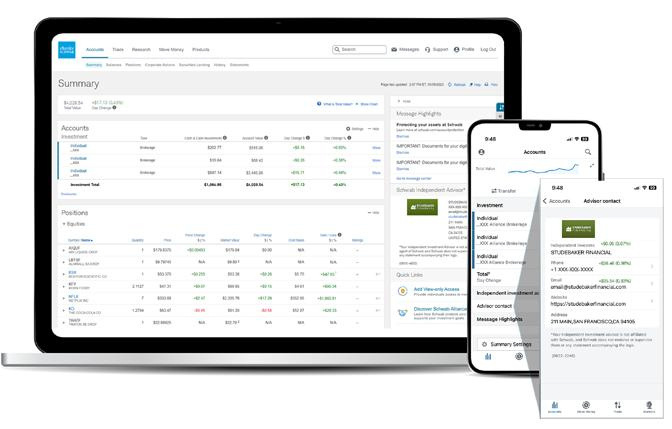
Designed for investors like you, our website and mobile app enable you to stay informed about your accounts while still relying on the one-on-one guidance provided by your independent advisor.
Monitor your accounts easily and securely.
Get instant access to your account information online—or on the go with the Schwab mobile app
Stay informed of the status of requests and securely approve transactions.
Keep your contact information up-to-date so that you can be notified when necessary.
Count on secure, paperless delivery of important documents, including account statements, trade confirmations, and tax reports.
Conveniently deposit checks with a tap of the camera on your smartphone or tablet.
Grant view-only access to third parties, such as accountants, attorneys, and family members.
Enhance your account security by adding two-factor authentication.
You must be listed as the account owner to enroll in electronic delivery.
Ask your advisor to initiate your online access to Schwab Alliance— it’s free, fast, and easy.
Set up account access:
1. Initiate your online enrollment
There are two ways to initiate enrollment:
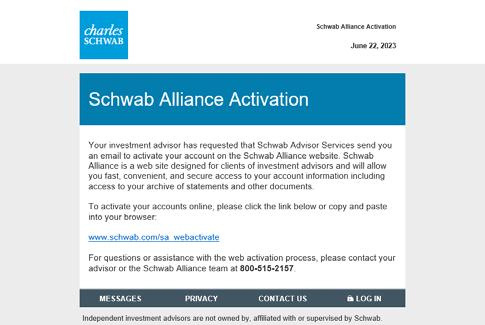
A. Ask your advisor to initiate your online enrollment.
You will receive an email with a link to get started. If the link has expired, ask your advisor to resend it.
B. Initiate enrollment on your own.
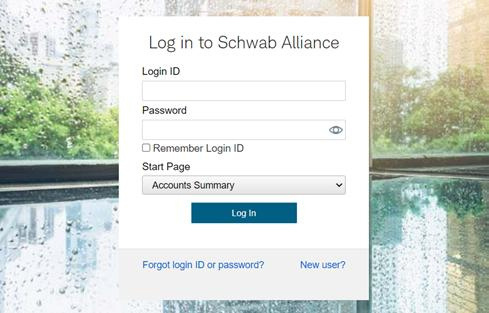
Go to schwaballiance.com and click New User?
2. Verify your personal information
Enter your information such as Social Security number and brokerage account number through our secure interface. Your account number can be found in an account statement or your account verification letter. If you own more than one account, you can enter any one of those account numbers.
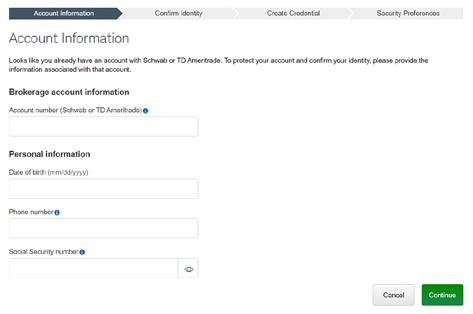
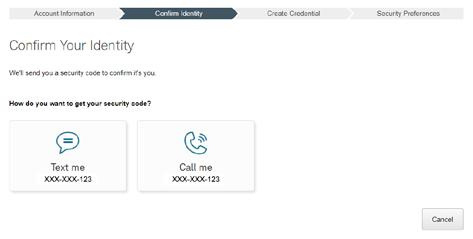
3. Confirm your identity
As an additional layer of security, Schwab will text an security code to your mobile phone or call you directly.
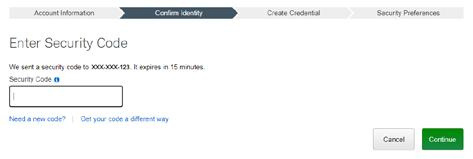
4. Enter the security code
Type the security code provided by Schwab.
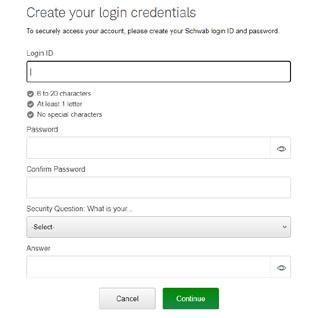
5. Create your login ID, password, and security question and answer
Create a login ID and password unique to this account. Choose a secret question and answer to make any future password resets easier. Answers must be at least five characters and can include spaces but not contain symbols (e.g., !@#%). For your own security, do not share this information with anyone, including your advisor.
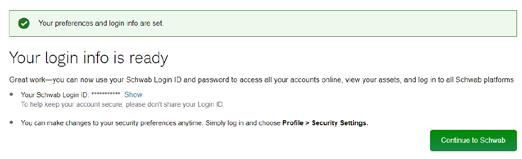
6. Acknowledge your login ID and password
You will receive confirmation that your login ID and password were created. Click Continue to Schwab to log in.
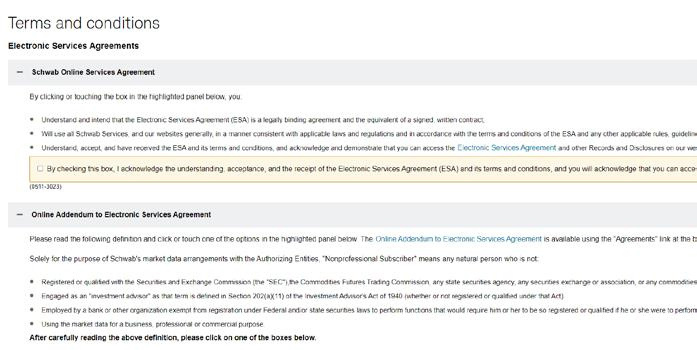
7. Review and accept user agreements
Review the user agreements and check the box for each to accept the terms.
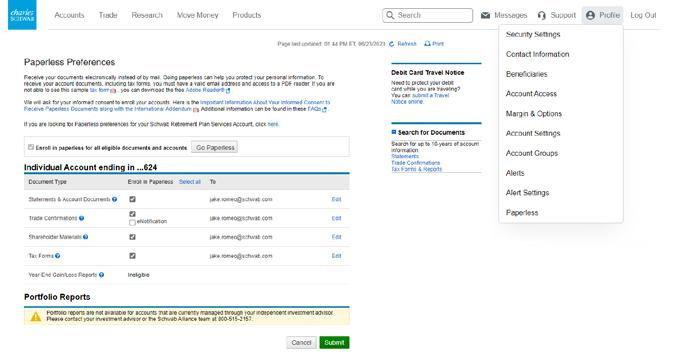
8. Enroll in paperless delivery
Sign up for electronic delivery of key account documents. You can enroll all eligible accounts or select specific accounts for eDelivery of documents.
Set up mobile access:
1. Download the Schwab Mobile app
Visit the app store for your mobile device and search for Schwab Mobile.

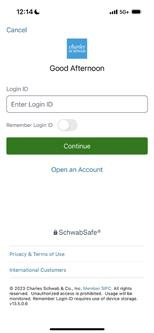
2. Log in to access your account
Use the same Schwab Alliance credentials you use online.
3. Check your mobile app settings
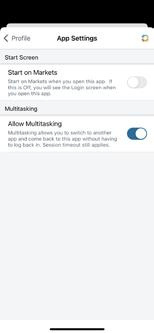
Navigate to More, then tap Profile & Settings and Login Settings. Scroll to the bottom and turn on Allow Multitasking to approve transactions electronically on your device.
4. Turn on push notifications
(for iOS/Apple devices only)
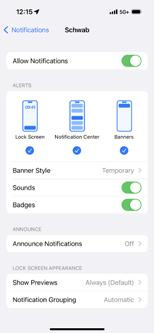
Navigate to your device Settings & tap Notifications. Ensure that Schwab Mobile is among the included apps. You can choose to display alerts on Lock Screen, History, and Banners. Alerts notify you of move money requests requiring your approval.
The Schwab Mobile Deposit™ service is subject to certain eligibility requirements, limitations, and other conditions.
Enrollment is not guaranteed, and standard hold policies apply.
Access to electronic services may be limited or unavailable during periods of peak demand, market volatility, systems upgrade, maintenance, or for other reasons. Android is a trademark of Google, Inc.
Apple and the Apple logo are trademarks of Apple Inc., registered in the U.S. and other countries. iTunes, App Store, iPhone, and iPad are trademarks of Apple Inc. ©2023 Charles Schwab & Co., Inc. All rights reserved. Member SIPC. TWI (0823-3KUY) MKT70909-09 (08/23) 00289018
Screenshots are for illustrative purposes only.